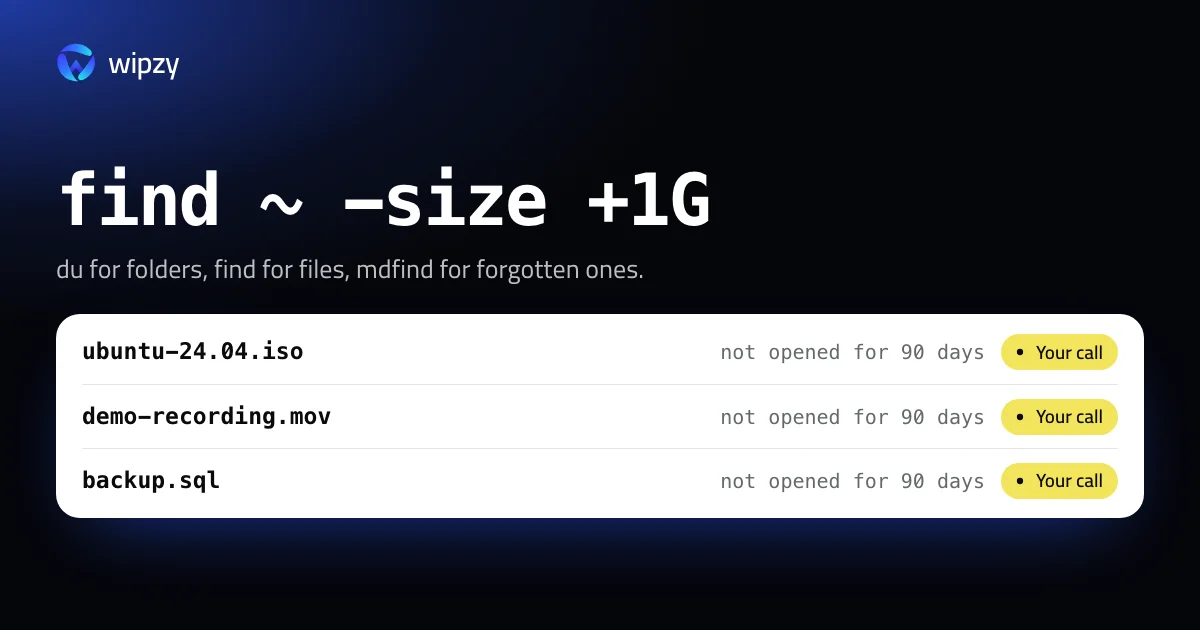
Three tools, three questions. du answers "which folders are large". find answers "which single files are large". mdfind answers "which large files have I not opened in months". All three only read. Start with whichever matches what you do not know.
du: which folders are large
Start at the top and walk down:
du -sh ~/* 2>/dev/null | sort -hr | head -10
Pick the largest line and repeat one level deeper:
du -sh ~/Movies/* 2>/dev/null | sort -hr | head -10
To see two levels at once, -d sets the depth:
du -h -d 2 ~/Code 2>/dev/null | sort -hr | head -20
2>/dev/null hides the "Operation not permitted" lines for folders Terminal may not read. Hidden folders need a separate pattern, because ~/* skips names that start with a dot:
du -sh ~/.[!.]* 2>/dev/null | sort -hr | head -10
find: which files are large
find ~ -type f -size +1G -exec du -h {} + 2>/dev/null | sort -hr | head -20
This walks your whole home folder, so give it a minute. -size +1G matches files over one gigabyte. Use +500M for a finer net. To skip the Library, where large files are mostly app data you should not touch by hand:
find ~ -type f -size +1G -not -path "$HOME/Library/*" -exec du -h {} + 2>/dev/null | sort -hr | head -20
By type, for example disk images and installers:
find ~ -type f \( -name '*.dmg' -o -name '*.iso' -o -name '*.xip' -o -name '*.ipsw' \) -exec du -h {} + 2>/dev/null | sort -hr
mdfind: large and not opened
Spotlight already has an index of your files with their sizes and the date you last opened each one. mdfind queries it and answers in a second:
mdfind -onlyin ~ 'kMDItemFSSize > 1000000000'
The useful part is the second condition. Large files you have not opened for 90 days:
mdfind -onlyin ~ 'kMDItemFSSize > 500000000 && kMDItemLastUsedDate < $time.today(-90)'
Check one file's dates before you trust the list:
mdls -name kMDItemLastUsedDate -name kMDItemFSSize ~/Movies/demo-recording.mov
Two limits. Spotlight does not index most of the Library or hidden folders, so mdfind will not find a model file in ~/.ollama. And a file that was never opened with a double-click has no last-used date at all.
Sizes that are not what they seem
- Sparse files. A virtual machine disk or
Docker.rawhas a length of, say, 64 GB, but uses only the blocks that were written.ls -lhshows the length.du -hshows the truth. More in Docker.raw is huge. - Clones. When you duplicate a file in Finder, APFS stores the data once. Deleting one of the two frees nothing.
- The Trash. A file in the Trash still takes its space until the Trash is emptied.
- Purgeable space. Finder's free space includes what macOS can clear on demand. See what System Data is.
What the large files usually are
| Kind | Typical names | Safe to remove when |
|---|---|---|
| Installers | .dmg, .pkg, .xip, .iso |
The app is installed |
| Phone restore images | .ipsw |
Always. They are downloaded again |
| Screen recordings and exports | .mov, .mp4 |
You have watched or shared them |
| Database dumps | .sql, .dump, .bak |
The database they came from still exists |
| Archives | .zip, .tar.gz next to the unpacked folder |
The unpacked copy is complete |
| Virtual machines | .pvm, .vmwarevm, .utm, .qcow2 |
Rarely. A whole computer is inside |
| AI model files | .gguf, .safetensors |
You can download them again. See the models guide |
An interactive view: ncdu
If you prefer to browse instead of reading lists, ncdu shows a folder tree sorted by size in the terminal. It is open source and installs with Homebrew:
brew install ncdu
ncdu -x ~
-x keeps it on one disk, so it does not wander into mounted volumes. Arrow keys move, Return opens a folder, and q quits. The scan of a whole home folder takes a minute or two.
One key deserves respect: d deletes the selected item, permanently, after one confirmation. Use ncdu to look. When you have found something, remove it with Finder and the Trash.
With Wipzy
Wipzy's Big files area, part of Pro, is the mdfind query from this guide with the gaps closed.
- What it lists: files of 500 MB or more in your home folder that you have not opened for 90 days. It reads Spotlight's last-opened date, and falls back to the date the file last changed when Spotlight has none.
- Installers get their own rule:
.dmg,.pkg,.mpkg,.xip,.ipswand.isofiles in Downloads or on the Desktop that are more than 7 days old. Downloads is read only after you include it, because macOS asks for that folder separately. - Everything here is Your call. No rule can know whether you need a file, so nothing in Big files is ever ticked for you. The row says: "Only you know if you still need it".
- No double listing. A file that another rule already owns, such as a simulator or a model cache, appears there and not here.
- Virtual machines are Careful. Parallels, VMware and VirtualBox machines are shown with their size and need the typed word
clean.
The "few days in the Trash" habit is built in. Clean moves files into a quarantine on the same disk, and History has Undo for each one. The space is freed when you press Free now, or after the time you chose in Settings.
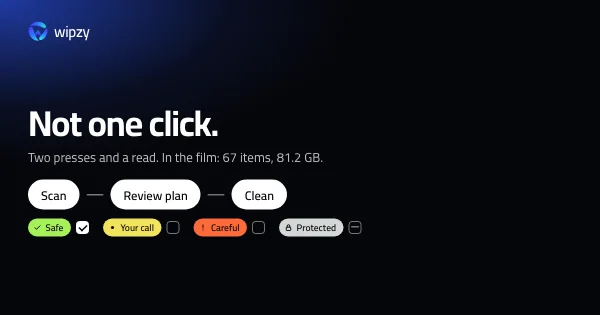
Scan, Review plan, then Clean. Never one click. See how the levels work and what Pro adds.
Questions
How do I find files larger than 1 GB on a Mac?
Run find ~ -type f -size +1G -exec du -h {} + 2>/dev/null | sort -hr | head -20 in Terminal. It lists the 20 largest files over 1 GB in your home folder, largest first.
Why do ls and du show different sizes for the same file?
ls -l shows the length of the file. du shows the disk blocks it really uses. They differ for sparse files such as virtual machine disks, where most of the length was never written.
Why did deleting a large file free no space?
Either it is still in the Trash, or it was a copy that shared its data with another file. On APFS, a duplicate made in Finder takes no extra space until one of the two changes.