Yes. Close Unity first, then delete the folder. Library is Unity's import cache: converted textures, compiled shaders, script assemblies, downloaded packages. Unity builds it from Assets, Packages and ProjectSettings, and rebuilds it when it is missing. The price is the re-import: on a large project, opening it again takes 10 minutes or far more.
So the real question is which projects are worth that price. For a project you will not open this year, the answer is easy.
What is in a Unity project folder
| Folder | What it is | Can it go |
|---|---|---|
Assets |
Your scenes, scripts, art and audio | No |
Packages |
The package manifest and embedded packages | No |
ProjectSettings |
Project-wide settings | No |
UserSettings |
Your personal editor layout for this project | Yes, but you lose the layout |
Library |
The import cache | Yes. Rebuilt on open |
Temp |
Files of the running editor | Yes. Unity deletes it itself on exit |
Obj, Logs |
Build intermediates and editor logs | Yes |
Build or Builds |
Players you built, under whatever name you chose | Yes, if you can build again |
A quick check that matches this table: the standard .gitignore for Unity ignores Library, Temp, Obj, Logs and the build folders. What version control ignores is what Unity can make again.
See the sizes
Inside one project:
du -sh Library Temp Obj Logs 2>/dev/null
Across all projects, replace ~/Unity with the folder where they live. The test keeps only Library folders that have a ProjectSettings folder beside them:
find ~/Unity -maxdepth 3 -name Library -type d -prune -exec test -d {}/../ProjectSettings \; -exec du -sh {} + | sort -hr
That test matters. Your home folder has a Library too, and it is not a cache.
Delete it
With the editor closed, from the project folder:
rm -rf Library Temp Obj
When deleting Library is also a fix
Unity developers delete Library for a second reason: a corrupted import. Pink materials, scripts that will not compile for no visible reason, or an editor that hangs on load often go away after a clean re-import. If that is why you are here, the same steps apply.
Outside the project
Unity keeps large shared files in other places:
| Path | Holds |
|---|---|
/Applications/Unity/Hub/Editor |
Every editor version you installed, several gigabytes each |
~/Library/Unity/Asset Store-5.x |
Packages downloaded from the Asset Store |
~/Library/Unity/cache |
The global package cache |
Old editor versions are the largest item for most people. Remove them in Unity Hub under Installs, not in Finder, so that the Hub's list stays correct. Keep every version that a project you still open was last saved with.
Unreal and Godot, briefly
The same idea holds elsewhere. In an Unreal project, Binaries and Intermediate are rebuilt by the editor, and DerivedDataCache is rebuilt too but takes a long time. In a Godot 4 project, the .godot folder is the import cache and is rebuilt on open. Content and your scenes are the project. They stay.
Archive a finished project
For a project you are done with and want to keep, deleting Library is half of the job. The tidy version:
- Close Unity.
- Remove
Library,Temp,Obj,Logsand your build folders. - Keep
Assets,Packages,ProjectSettingsand, if you want your editor layout back,UserSettings. - Note the editor version. It is the first line of
ProjectSettings/ProjectVersion.txt.
What is left is the real size of the project, often a small part of what the folder was. That is the part worth backing up or compressing. Opening it again in the same editor version rebuilds everything else. If other large items remain after that, they are usually source art and video, which you can find with the commands for large files.
With Wipzy
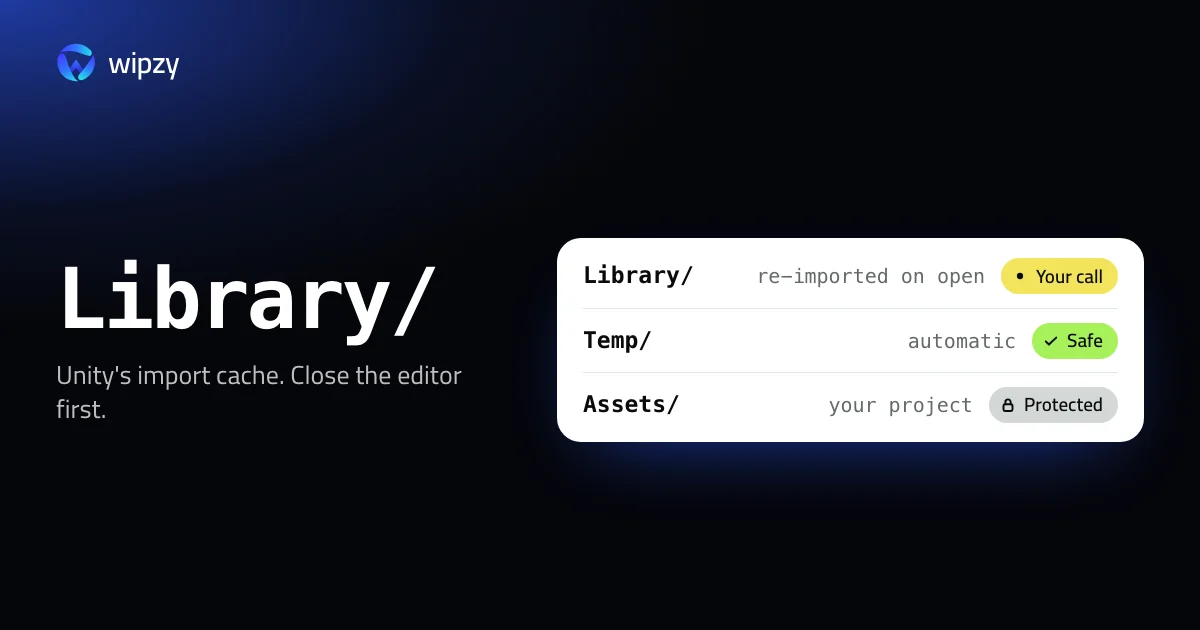
Wipzy recognises a Unity project before it offers anything in it, and it treats Library the way this guide does: possible, but your decision.
| Row | Level | Reasons shown |
|---|---|---|
Library in a Unity project |
Your call | "Unity import cache", "Re-import can take 10+ minutes" |
Temp in a Unity project |
Safe | "Unity temp files" |
Assets, Packages, ProjectSettings |
Protected | Never on the list |
- Your call means listed, not ticked. The row shows the size and says how it comes back: "Unity re-imports on open". You tick it for the projects you are done with.
- Clean is a move. The folder goes into a quarantine on the same disk. If you open the project next week after all and do not want to wait for the import, History has Undo and the folder returns as it was. The space is freed when you press Free now.
- A project that is open in the editor is skipped. Wipzy checks for processes with files open in a folder and leaves it alone, with the reason.
- Unreal and Godot have rules too.
BinariesandIntermediateare Safe,DerivedDataCacheis Your call, and Godot's import cache is Safe.
Editor versions installed through Unity Hub are not offered. Projects are in the free plan.
Scan, Review plan, then Clean. Never one click. See how Wipzy reads a project, or the wider list in what is safe to delete on a developer's Mac.
Questions
What happens if I delete the Unity Library folder?
Unity imports every asset again the next time you open the project and rebuilds the folder. Your scenes, scripts and settings are not in Library, so nothing you made is lost. The re-import can take 10 minutes or much longer.
Which Unity folders must I never delete?
Assets, Packages and ProjectSettings. They are your project. Everything a version control setup for Unity ignores, such as Library, Temp, Obj and Logs, can be rebuilt.
Can I delete Library while Unity is open?
No. Close the editor first. Unity has files in that folder open and writes to it all the time.