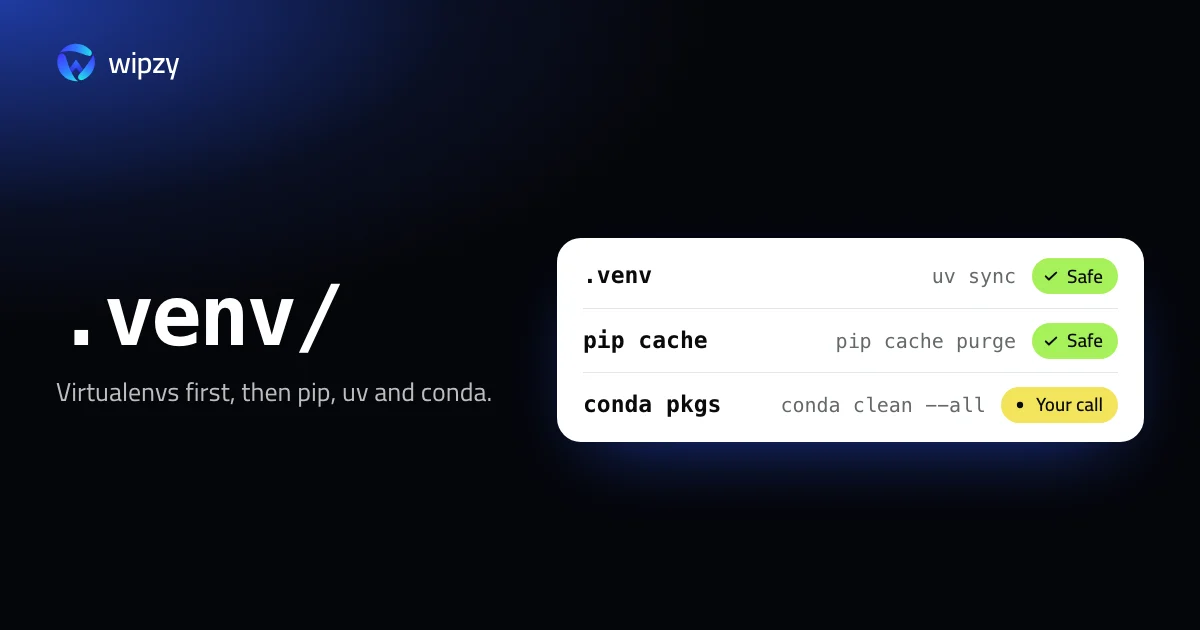
Python spreads over four kinds of places: virtualenvs inside projects, download caches in your Library, conda's package folder, and old interpreter versions. The quickest wins, in order:
python3 -m pip cache purge
conda clean --all --dry-run
The first empties pip's cache. The second shows what conda would remove. Before either, look at the virtualenvs. They are usually the largest part.
Virtualenvs in projects
Find the usual names with their sizes. Replace ~/Code with your projects folder.
find ~/Code -maxdepth 4 -type d \( -name .venv -o -name venv \) -prune -exec du -sh {} + | sort -hr | head -20
A real virtualenv has a pyvenv.cfg file in it. An environment with a machine learning stack inside is easily several gigabytes, and every project has its own copy.
Delete the one in a project you no longer run:
rm -rf ~/Code/old-project/.venv
A virtualenv cannot be moved to another path and keep working, because its scripts contain the absolute path. Moving it away and back to the same place is fine.
pip's cache
python3 -m pip cache dir
python3 -m pip cache info
dir prints the folder, ~/Library/Caches/pip on a Mac. info prints how many files it holds and their size. Then:
python3 -m pip cache purge
To remove one package only: python3 -m pip cache remove 'torch*'.
uv's cache
uv cache dir
du -sh "$(uv cache dir)"
uv has two levels of cleaning:
| Command | Removes |
|---|---|
uv cache prune |
Entries nothing uses any more |
uv cache clean |
The whole cache |
uv cache prune is the one to run regularly. Environments that uv created keep working after either command.
conda
conda keeps every package it ever downloaded in a pkgs folder and links files from there into environments.
conda clean --all --dry-run
conda clean --all
The dry run lists the tarballs, unused packages and index caches that would go, with sizes. Packages that an environment still uses are kept.
The environments themselves are the bigger number:
conda env list
du -sh ~/miniconda3/envs/* | sort -hr
Your base folder may be ~/anaconda3 or ~/miniforge3 instead. To remove an environment and keep a way back, export it first:
conda env export -n old-env > old-env.yml
conda env remove -n old-env
Poetry and Pipenv
Both keep virtualenvs outside your projects, where they are easy to forget:
| Tool | Folder | Recreate |
|---|---|---|
| Poetry | ~/Library/Caches/pypoetry/virtualenvs |
poetry install in the project |
| Pipenv | ~/.local/share/virtualenvs |
pipenv sync in the project |
The environment of a project you deleted years ago is still there.
Small caches inside projects
__pycache__, .pytest_cache, .mypy_cache and .ruff_cache are written by Python and its tools and recreated without asking. Inside one project:
find . -name __pycache__ -type d -prune -exec rm -rf {} +
Of the four, .mypy_cache is the only one that tends to get large.
Old Python versions
pyenv versions
uv python list --only-installed
Each installed interpreter takes a few hundred megabytes. pyenv uninstall 3.9.18 and uv python uninstall 3.9 remove one. pyenv install and uv python install bring it back. Check the .python-version files of your active projects before you remove a version.
Downloaded models are a separate story, and usually a much larger one. See Ollama and Hugging Face models.
AI projects, and why uv changes the sum
A virtualenv with PyTorch in it holds several gigabytes of libraries, and with pip every project gets its own full copy. Ten small experiments are ten copies.
uv works differently on a Mac. It keeps each package once in its cache and clones the files into every environment, and a clone on APFS takes no extra space until a file changes. Ten environments with the same PyTorch version then use the space roughly once.
That changes what a cleanup gains. du adds every environment up at full size, because it cannot see that the blocks are shared. Deleting one of ten cloned environments frees very little. The real space returns when the last environment using a version is gone and you run uv cache prune.
With Wipzy
Wipzy covers all four places. Projects and Dev caches are in the free plan. Old Python versions are in the System area, part of Pro.
| Row | Level | How it comes back |
|---|---|---|
.venv or venv with a lockfile in the project |
Safe | uv sync, poetry install or pipenv install, chosen from the lockfile |
.venv or venv without a lockfile |
Your call | Listed, never ticked |
__pycache__, .pytest_cache, .mypy_cache, .ruff_cache |
Safe | Automatic |
| pip cache, uv cache, Poetry cache | Safe | Downloaded again when needed |
| Poetry and Pipenv virtualenvs | Your call | poetry install, pipenv install |
| Conda package cache | Your call | Runs conda clean --all --yes |
| Python versions from pyenv and uv | Your call | The newest is kept and never offered |
The rule behind the first two rows is the warning from this guide. A folder counts as a virtualenv only with pyvenv.cfg inside, and it is Safe only when uv.lock, poetry.lock, Pipfile.lock or pdm.lock exists, because then the same versions can be installed again. Without one, Wipzy cannot promise that, so it does not tick the box.
Folders are moved into a quarantine on the same disk, and Undo in History puts them back at the same path, which is the one move a virtualenv survives. The conda row runs conda's own command, cannot be undone, and is therefore never ticked for you.
Scan, Review plan, then Clean. Never one click. See the four levels and what the free plan includes.
Questions
Is it safe to delete a .venv folder?
Yes, if you can recreate it. A virtualenv holds only an interpreter link and installed packages. With a lockfile or a requirements file, one command builds it again. Without either, write the package list down first with pip freeze.
What does pip cache purge remove?
Every wheel and HTTP response pip has cached. Installed packages in your environments are not touched. The next install downloads what it needs.
Should I delete __pycache__ folders?
You can. Python writes them again on the next import. They are small, so this is tidiness more than disk space.