Android work fills three folders. Measure them first:
du -sh ~/.gradle ~/Library/Android/sdk ~/.android/avd 2>/dev/null
Then go through them in the order of this guide: Gradle's caches rebuild themselves, SDK parts are a download away, and emulators hold data that does not come back.
~/.gradle
du -sh ~/.gradle/* | sort -hr
| Folder | Holds | Comes back |
|---|---|---|
caches |
Downloaded dependencies, the build cache, transformed artifacts | Downloaded and rebuilt by the next build |
wrapper/dists |
Every Gradle version a project's wrapper ever asked for | Each project downloads its version again |
daemon |
Logs of the background daemons | Recreated |
Gradle cleans up after itself, in part. Its documentation describes a cleanup that runs when a daemon stops and removes cache entries and distributions that have not been used for 30 days. That only happens while you keep running Gradle. A machine that built Android apps last year still has last year's caches.
To clear the caches by hand, stop the daemons first so that no file is in use:
./gradlew --stop
rm -rf ~/.gradle/caches
Inside a project, ./gradlew clean deletes the build folders. The .gradle folder in the project root and app/.cxx for native code are caches too.
The SDK folder
du -sh ~/Library/Android/sdk/* | sort -hr
The usual order is system-images, then ndk, platforms, build-tools and emulator. List what is installed:
sdkmanager --list_installed
sdkmanager is in ~/Library/Android/sdk/cmdline-tools/latest/bin if it is not on your path. Remove a package by the name from that list:
sdkmanager --uninstall "system-images;android-33;google_apis;arm64-v8a"
The same list with checkboxes is in Android Studio under Settings, Languages & Frameworks, Android SDK.
What is safe to remove:
- System images no emulator uses. See the next section for how to tell.
- Old
build-toolsandplatformsthat no project'scompileSdkorbuildToolsVersionnames any more. - Extra NDK versions. Each one is large. Keep the version your projects pin in
ndkVersion.
Emulators
avdmanager list avd
du -sh ~/.android/avd/*.avd | sort -hr
Each .avd folder is one virtual device with its user data. To find out which system image each one uses:
grep -h image.sysdir ~/.android/avd/*.avd/config.ini
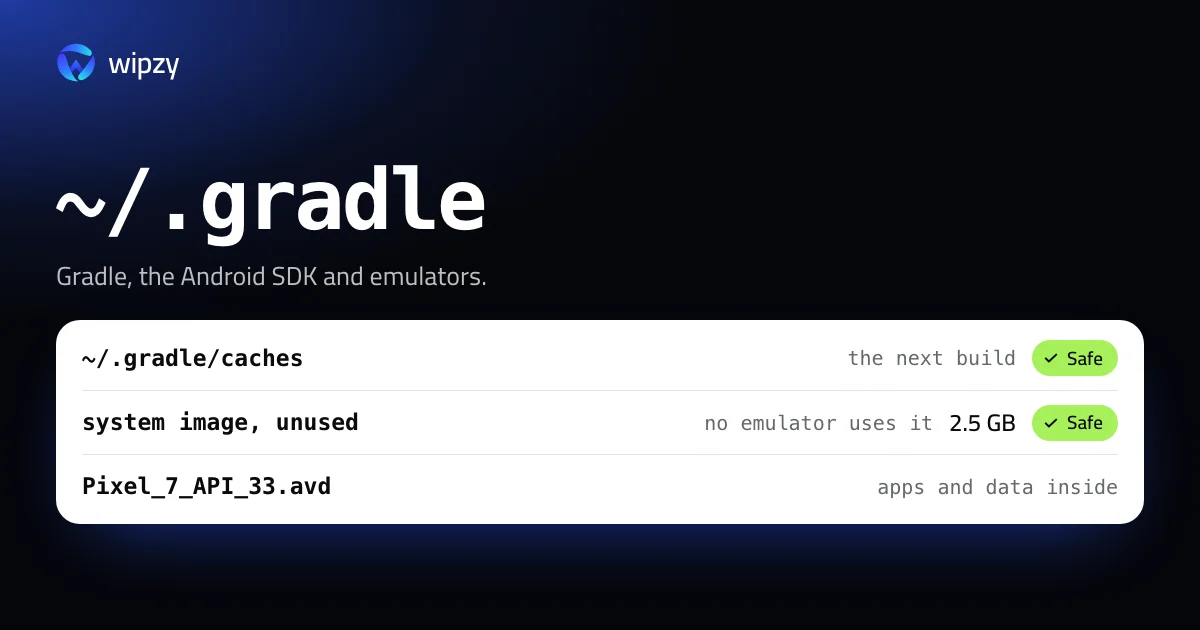
Compare that with the folders under ~/Library/Android/sdk/system-images. An image that no config.ini mentions is not used by any emulator. On the Mac Wipzy is developed on, one such image was 2.5 GB.
Delete an emulator you no longer use:
avdmanager delete avd -n Pixel_7_API_33
A lighter option keeps the device and drops only its saved states. The snapshots folder inside each .avd can be removed while the emulator is closed. The emulator then starts with a cold boot once.
Old Android Studio caches
Every major version of Android Studio keeps its own cache folder and never removes the previous one:
du -sh ~/Library/Caches/Google/AndroidStudio*
Keep the folder of the version you use. Older ones belong to versions that are no longer installed.
Build folders of old projects
Every Gradle module has its own build folder, and an Android app's can pass a gigabyte after a few release builds. To list them all, with a test that keeps only build folders next to a Gradle build file:
find ~/Code -name build -type d -prune \( -exec test -f {}/../build.gradle \; -o -exec test -f {}/../build.gradle.kts \; \) -exec du -sh {} + | sort -hr | head -20
The test matters, because many other tools call their output build too, and some people keep things in such a folder on purpose.
Inside one project, Gradle's own command is the cleaner way:
./gradlew clean
With Wipzy
Wipzy splits Android the same way. Gradle and project output are in the free plan. SDK and emulator items are in the System area, part of Pro.
| Row | Level | How it is handled |
|---|---|---|
Gradle caches (~/.gradle/caches) |
Safe | Moved to the quarantine. "Gradle downloads them again when needed" |
Gradle versions (~/.gradle/wrapper/dists) |
Your call | "Each project downloads its version again" |
| Gradle and Kotlin daemon logs | Safe | Recreated automatically |
build, .gradle and .cxx in a Gradle project |
Safe | ./gradlew build |
| System images no emulator uses | Safe | "No emulator uses it", "SDK Manager downloads it again" |
| Emulator snapshots | Safe | "The emulator cold-boots next time" |
| Old Android Studio caches | Safe | The current version's cache is kept, never offered |
What Wipzy does not do yet: delete emulators, or remove old platforms and build-tools. Those need avdmanager and sdkmanager, so for now they are the commands above.
Everything in the table is moved, not deleted. Clean puts the items into a quarantine on the same disk, and Undo in History puts them back, which is useful when a build needed that one cached dependency. The space is freed when you press Free now.
It is not one click: scan, Review plan, then Clean. See the four risk levels, what Pro adds, and the same job for Apple's side in how to delete old iOS simulators.
Questions
Is it safe to delete ~/.gradle/caches?
Yes. It holds downloaded dependencies and build caches. Stop the Gradle daemons first with ./gradlew --stop. The next build downloads every dependency again.
How do I delete an Android emulator from the command line?
Run avdmanager list avd to see the names, then avdmanager delete avd -n NAME. The apps and data inside that emulator are deleted with it.
Which Android system images can I remove?
The ones no emulator uses. Each emulator's config.ini names its image in the line image.sysdir.1. An image that appears in none of them is unused.