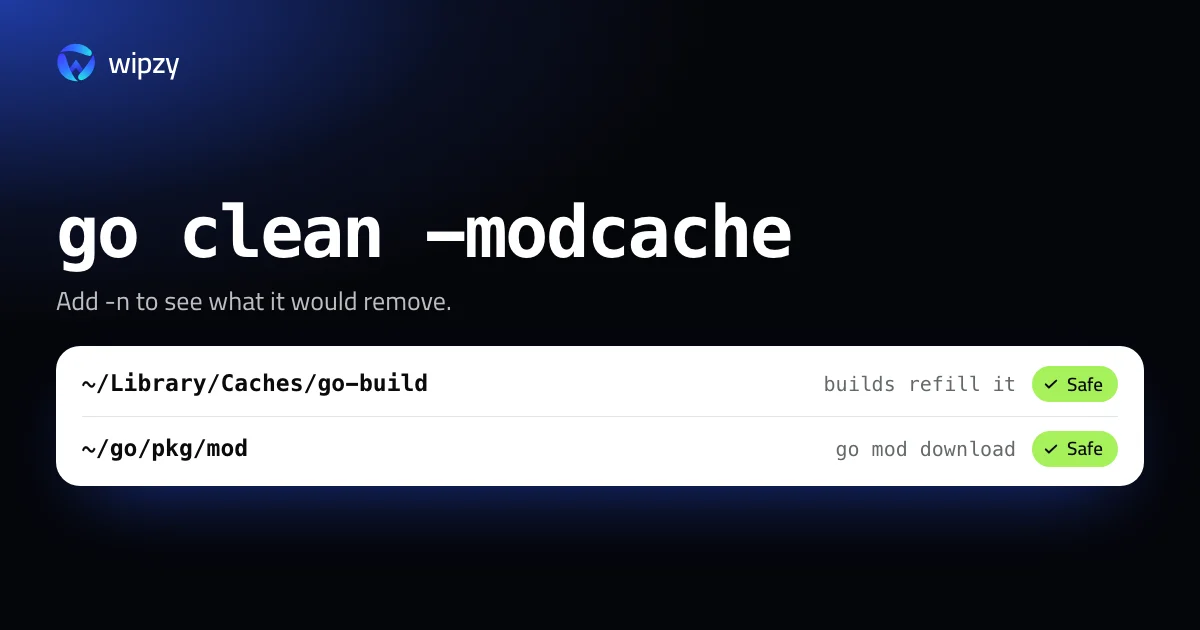
Go has two caches, and one command clears each:
go clean -cache
go clean -modcache
The first removes compiled packages. The second removes downloaded modules. Add -n to either and Go prints what it would remove without removing it. Here is where both live, how big they are, and which one deserves your attention.
Where they are and how big
go env GOCACHE GOMODCACHE
On a Mac this prints ~/Library/Caches/go-build and ~/go/pkg/mod, unless you set the variables yourself. Size both:
du -sh "$(go env GOCACHE)" "$(go env GOMODCACHE)"
| Cache | Holds | Trimmed by Go |
|---|---|---|
Build cache, GOCACHE |
Compiled packages and cached test results | Yes, entries not used recently |
Module cache, GOMODCACHE |
Every version of every module you ever built against | Never |
That last column is the point of this guide. The build cache looks after itself. The module cache only grows: when a dependency goes from v1.4.0 to v1.4.1, both versions stay on disk, for every project and every upgrade.
Preview with -n
go clean -n -cache
go clean -n -modcache
With -n, go clean prints the remove commands it would run and stops. It is the closest thing to a dry run, and it confirms which folders are involved before anything happens.
Clear the build cache
go clean -cache
Related flags: go clean -testcache expires cached test results without deleting compiled packages, which is what you want when a test should run again. go clean -fuzzcache removes stored fuzzing inputs.
Clear the module cache
go clean -modcache
Why rm does not work here
If you tried rm -rf ~/go/pkg/mod first, you saw "Permission denied" many times. Go marks module files read-only on purpose, so that no tool or editor changes a dependency in place. go clean -modcache knows this and removes them cleanly. Use the command, not rm.
There is no built-in way to remove only old versions. It is all or nothing, which is another reason to check the size first. A few hundred megabytes is not worth the re-download.
Smaller Go leftovers
- Linter and editor caches.
golangci-lint cache cleanempties the linter's cache.goplskeeps an index in~/Library/Caches/gopls. vendor/in a project. If the project vendors its dependencies,go mod vendorrecreates the folder. Many teams commitvendor/to git. Check withgit ls-files vendor | head -3before you remove it.~/go/bin. These are tools you installed withgo install. They are not a cache.
How often
Clear the build cache when a toolchain upgrade left it large, or do nothing and let Go trim it. Clear the module cache once or twice a year, or when you finish a project with unusually heavy dependencies. Clearing either daily only moves the cost to your next build.
Rust has the same split between per-project output and shared downloads, with different defaults. See Rust target folders and rustup toolchains.
Binaries in your project folders
The two caches are not the only output. Every go build in a project folder leaves the compiled program next to the source, and Go binaries are large because they are statically linked. go test -c leaves a .test binary, and release tools fill a dist folder.
Inside a module, plain go clean removes what go build and go test left in that folder. Preview it the same way:
go clean -n
go clean
To spot forgotten binaries across all projects, look for large executable files:
find ~/Code -type f -perm +111 -size +20M -exec du -h {} + 2>/dev/null | sort -hr | head -20
Not everything in that list is build output. Read the paths. A binary that git tracks, or one you downloaded, is not yours to rebuild.
With Wipzy
Both caches are rows in Wipzy's Dev caches list, in the free plan, each with its size:
| Row | Path | Level | Reasons shown |
|---|---|---|---|
| Go build cache | ~/Library/Caches/go-build |
Safe | "Compiled packages and test results", "Builds refill it" |
| Go module cache | ~/go/pkg/mod |
Safe | "Downloaded modules", "Go downloads them again when needed" |
And inside a Go project:
| Row | Level | How it comes back |
|---|---|---|
vendor/ with a modules.txt inside |
Your call | go mod vendor |
Two differences from the commands:
- A move, not a delete. Clean moves each cache folder into a quarantine on the same disk. That is a rename, so it is instant, needs no extra space, and the read-only files are not a problem. If you find yourself offline with a build to run, open History, press Undo, and the module cache is back. The space is freed when you press Free now.
vendor/is never ticked for you. It may be committed, and it may be the only copy of a dependency your proxy no longer serves. Wipzy checks git first. A folder that git tracks is Protected and not offered at all.
Nothing is cleaned in one click. You scan, press Review plan, read the list, then Clean. See how the levels are decided or why a developer's disk fills up.
Questions
Is go clean -modcache safe?
Yes. It removes downloaded copies of your dependencies. The next build downloads the versions that go.sum records and verifies them against it.
Why do I get permission denied when I delete ~/go/pkg/mod?
Go writes module files as read-only so that nothing edits them by accident. rm -rf cannot remove them. go clean -modcache handles the permissions for you.
Does Go clean its build cache automatically?
Yes. The go command periodically deletes build cache entries that have not been used recently. It never trims the module cache.