We make one of the tools on this page, so read it with that in mind. To keep it fair we used one rule: every statement about another tool comes from that tool's own repository, site or store listing, checked on 10 November 2026. Where a page did not say something, we say "not stated". That does not mean the tool cannot do it.
If you want the short version: for node_modules alone, use npkill. For build folders across many languages from a terminal, use kondo. For a wide terminal toolkit, look at Mole. If you want the tool to read each project and give you an undo, that is what Wipzy is for.
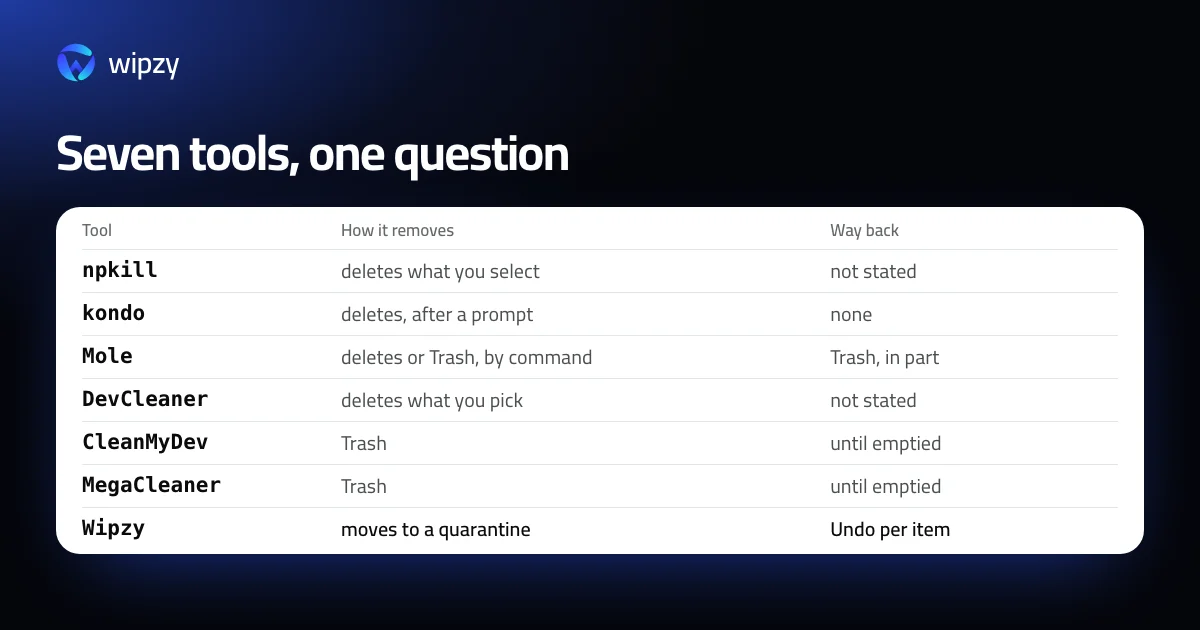
The table
| Tool | What it is | What it cleans | How it removes | Price |
|---|---|---|---|---|
| npkill | Command line | node_modules folders |
Deletes the folders you select | Free, MIT |
| kondo | Command line, for Windows, macOS and Linux | Dependency and build folders of more than 20 project types | Deletes permanently, after a prompt | Free, MIT |
| Mole | Command line for macOS | Caches and build output, plus uninstall, analyze and monitor commands | clean, purge and installer delete permanently. uninstall, analyze and slim use the Trash |
Command line free, GPL-3.0 |
| DevCleaner for Xcode | Mac app | Xcode only: DerivedData, archives, device support | Deletes what you pick | Free on the Mac App Store, with a tip jar |
| CleanMyDev | Mac app, macOS 14 or later | More than 110 targets in 16 groups, AI coding tools included | Trash by default. For some items the tool's own command | $9.99 once at launch |
| MegaCleaner | Mac app, macOS 14 or later | 39 tools, with three confidence levels | Trash | Free on its site when we checked |
| Wipzy | Mac app, macOS 13 or later, Apple silicon | Projects of 345 stacks, 74 developer caches, simulators, app caches, big files | Moves to a quarantine. Undo per clean or per item | Free for projects and caches. Pro $4.99 a month or $39 a year |
The command-line tools
npkill
npkill does one thing. Its description is "Easily find and remove old and heavy node_modules folders". Run npx npkill in a folder and it lists every node_modules below it with sizes. You move with the arrow keys and delete with Space. It has a --dry-run flag that deletes nothing, and it can search for other folder names with --targets.
Its README does not mention a Trash or an undo. For a folder that npm ci rebuilds, that is a fair trade for the speed. Our own walkthrough of the manual way is in how to delete all node_modules folders.
Source: the npkill repository.
kondo
kondo walks a folder, recognises projects by their files, and offers to delete their dependency and build folders: node_modules, target, build and others, for 23 project types by the list in its README. --older 3M limits it to projects not modified for three months.
Its README is plain about what it is: "Kondo is essentially rm -rf with a prompt." It runs on Windows, macOS and Linux.
Source: the kondo repository.
Mole
Mole is the widest of the three: one command, mo, with subcommands to clean, uninstall apps, analyze disk use and monitor the system. It supports --dry-run. Three of its commands delete permanently and three use the Trash, as in the table. Versions for Windows and Linux live in separate branches of the repository. A separate Mac app exists. Its page did not state a price.
Source: the Mole repository.
The Mac apps
DevCleaner for Xcode covers Xcode's folders and nothing else. If Xcode is your whole problem, it is free and focused. The manual equivalents are in how to delete DerivedData.
CleanMyDev lists more than 110 targets in 16 groups. It stands out for covering AI coding tools, such as Claude Code, Cursor and Codex CLI, next to Ollama, LM Studio and Hugging Face. It moves to the Trash by default and uses the tool's own command where that is the right way, for example for simulators and Homebrew. Its site gave a launch price of $9.99 once, rising to $29.99 after the first 1,000 sales.
MegaCleaner covers 39 tools, Docker and Kubernetes among them, and labels findings with three confidence levels: Definite, Probable and Possible. It moves to the Trash. Its site listed scanning and cleaning as free when we checked.
We left general Mac cleaners out of the table. They are built for a different job, and we did not check how they treat developer folders.
Where the others are ahead of Wipzy
- A terminal tool. npkill, kondo and Mole run in a shell and in scripts. Wipzy has no command-line version.
- Windows and Linux. kondo runs on all three systems, Mole has branches for them. Wipzy is macOS only today.
- AI coding tool caches. CleanMyDev has targets for Claude Code, Cursor and Codex CLI. Wipzy has whole-folder rules for Ollama, Hugging Face and LM Studio models and nothing for coding assistants.
- Docker. MegaCleaner lists Docker data. Wipzy offers the Docker build cache only.
- Price. npkill, kondo, DevCleaner and Mole's command line are free for everything they do.
What Wipzy does that we did not find elsewhere
Each point is from Wipzy's own code. For the other tools, their pages did not state it.
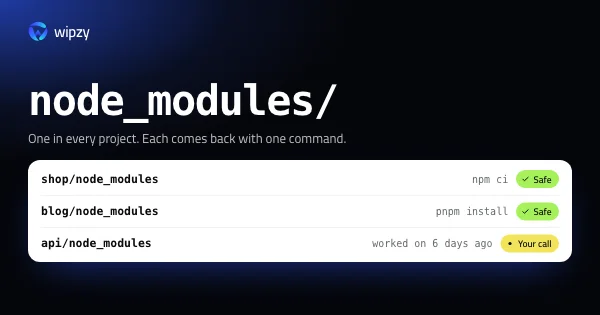
- It reads the project before it offers anything. A folder is offered as Safe only with its stack recognised, its evidence file beside it, a lockfile present, and git reporting the folder as ignored and not tracked. A project you worked on in the last 30 days is not ticked.
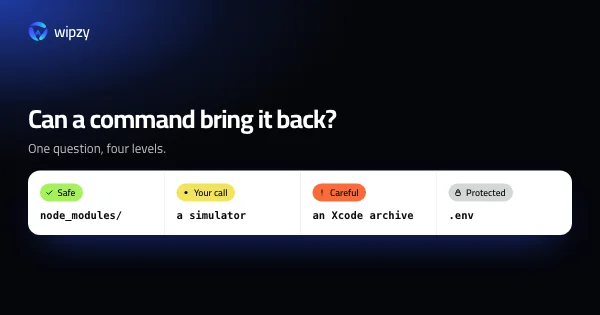
- Four risk levels with reasons. Safe is ticked. Your call is listed. Careful needs a typed word. Protected is never offered, and that includes everything no rule recognises.
- A quarantine with Undo per item. Clean is a move on the same disk, each item is checked again right before it moves, and History can put back one item or a whole clean. The Trash gives a similar safety net until it is emptied. The quarantine is separate from it and keeps the record of where each item came from.
- The command that brings each item back is on the row:
npm ci,composer install,cargo build.
How to choose
| If you want | Use |
|---|---|
node_modules gone, now, from a terminal |
npkill |
| Build folders of many languages, scripted | kondo |
| A broad terminal toolkit for your Mac | Mole |
| Only Xcode's folders, free | DevCleaner for Xcode |
| A Mac app with an undo, that knows which projects you are working on | Wipzy |
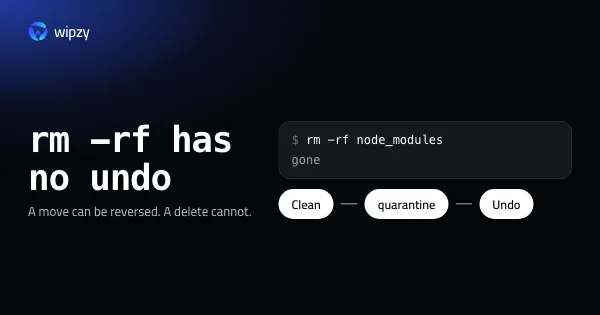
Whatever you pick, the first question to ask of it is the one from rm -rf compared with a quarantine: when it removes something, can you get it back?
With Wipzy
Wipzy is a Mac app, 4.8 MB, with a Rust engine. It scans a home folder with 43 projects in 8.7 s on an M4 Pro, and nothing is cleaned in one click: scan, Review plan, then Clean.
Projects and Dev caches, History and Undo are free. System, Apps, Big files and the Organizer are in Pro. The first public build is being notarized by Apple.
See the four levels, pricing, or the film.
Questions
What is the best free tool to delete node_modules?
npkill, if node_modules is all you want to clean. It is a free command-line tool that lists every node_modules folder with its size and deletes the ones you select.
Which developer disk cleaners can undo a clean?
Of the tools we checked, CleanMyDev and MegaCleaner move files to the Trash, which you can restore until it is emptied. Wipzy moves them to its own quarantine with Undo per item. npkill, kondo and three of Mole's commands delete permanently.
Is there a developer disk cleaner for Windows?
Mole and kondo run on Windows. Wipzy does not yet. A Windows version is in the works.