rm -rf does exactly what it says, at once, with no Trash and no question. For build output that is usually fine. The trouble is the one time in a hundred when the path was wrong, the variable was empty, or the folder held something that was not output after all.
A quarantine fixes that one time. Instead of deleting, you move the folder somewhere out of the way. If nothing complains for a few days, you delete it for real. This guide shows the idea with plain shell commands, then how Wipzy does it.
How rm -rf goes wrong
None of these need carelessness. They need one bad second.
| The slip | What it looks like |
|---|---|
| An empty variable | rm -rf "$BUILD_DIR/"* with BUILD_DIR unset becomes rm -rf /* |
| A stray space | rm -rf ~/Code /old-project deletes ~/Code |
| The wrong folder | The command was right. The terminal tab was not |
| A link | The "cache" folder was a symbolic link to a shared disk |
| Not just output | Someone kept a .env or a nested repository inside build/ |
Habits that catch most of them:
ls ~/Code/old-project/node_modules | head
List the exact path first, then press the up arrow and change ls to rm -rf. In scripts, start with set -u, so an unset variable stops the script, and write "${BUILD_DIR:?}", which refuses to expand when the variable is empty.
These habits lower the odds. They do not give you a way back.
The Trash, from the terminal
Recent versions of macOS ship a trash command:
trash ~/Code/old-project/node_modules
It moves the folder to the Trash, the same one Finder uses. The Trash is a real safety net, with two weak points. Everything shares it, so emptying it for one reason empties it for all. And if "Empty Trash automatically" is on in Finder's settings, items disappear after 30 days without asking you.
A quarantine with mv
The same idea, under your control:
mkdir -p ~/.quarantine/2026-11-11
mv ~/Code/old-project/node_modules ~/.quarantine/2026-11-11/old-project--node_modules
On the same disk, mv does not copy anything. It renames, which takes an instant even for a folder of a hundred thousand files, and needs no extra space.
When a week has passed without a problem, free the space:
rm -rf ~/.quarantine/2026-11-11
Three things make a hand-made quarantine tedious, and they are why few people keep one up:
- Names collide. Ten folders called
node_modulesneed ten distinct names. - You must remember where each came from. The new name has to carry the old path, or you need a note.
- It has to be on the same disk. A move to another disk is a copy followed by a delete. It is slow, and it needs the free space you do not have.
When plain rm is the right tool
- In CI and in containers, where the whole machine is thrown away afterwards.
- For temporary folders you created in the same script.
- When the disk is so full that even the quarantine has to go today.
For everything else, the question is whether undo is worth a week of the disk space. Most of the time it is.
Deletes that cannot be moved
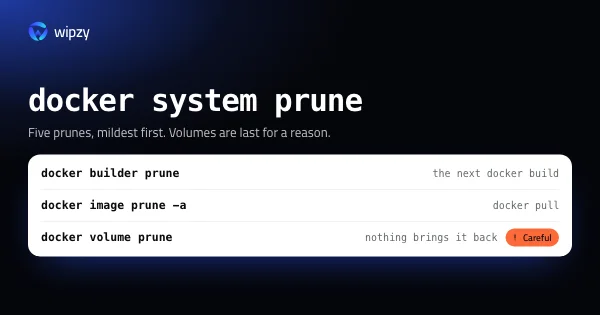
Some cleanup is not a folder you can move. docker builder prune, brew cleanup and xcrun simctl delete change a tool's own records as they delete, and moving files behind the tool's back would corrupt those records. For these there is no quarantine. There is only reading what the command will do before you run it. See what each docker prune command removes for the worst case, volumes.
With Wipzy
Wipzy's Clean is the mv version, with the tedious parts handled.
Clean never deletes. Approved items are moved into ~/Library/Application Support/app.wipzy.desktop/quarantine, on the same disk as your home folder. It is a rename: instant, with no extra space.
It keeps the note for you. Each clean gets its own folder and a manifest that maps every original path to its place in the quarantine. History lists each clean with its items and sizes.
It checks again right before the move. You press Review plan and read the list, and that plan carries a fingerprint of every item in it. If a folder changed between your review and the clean, that item is refused with "Changed since you reviewed it" and the rest goes ahead. Also refused: a symbolic link as the item or anywhere on the way to it, a folder with another disk mounted inside, and anything a running process has open, for example "In use by node".
Undo is per clean or per item. Undo moves things back to their original paths. If that place is taken again, because you ran npm ci in the meantime, the new folder is kept and the old copy stays in the quarantine for you to free.
Free now is the only delete. It lists what will go, says it cannot be undone, and needs a click on Delete permanently. With Pro you can also set a time after which a clean is freed by itself. The default is 24 hours.
Commands are labelled honestly. The few items that must be cleaned by their own tool run after the moves, are never ticked for you, and carry the line "Can't be undone from History".
| Undo | Frees space | Checks first | |
|---|---|---|---|
rm -rf |
No | At once | No |
| Trash | Until emptied, by you or after 30 days | When emptied | No |
mv to a quarantine folder |
Yes, by hand | When you delete it | No |
| Wipzy Clean | Yes, in History | On Free now, or after the time you set | Every item, twice |
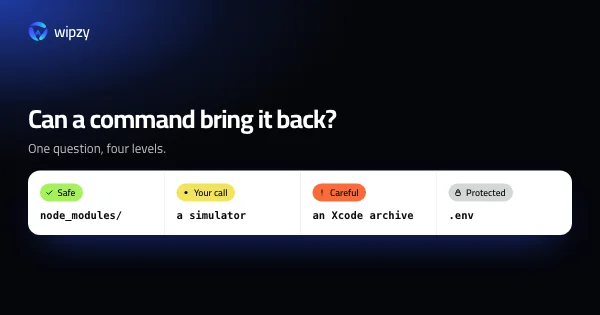
See it in the 47 second film, read what counts as Safe, or look at the four levels.
Questions
Can I undo rm -rf on a Mac?
No. rm removes the files directly and does not use the Trash. Your only way back is a backup, such as Time Machine, if one was made before the delete.
Is moving a folder slower than deleting it?
On the same disk a move is a rename. It takes an instant whatever the size of the folder, and uses no extra space. Deleting a large folder is the slower of the two.
Does a quarantine free disk space?
Not until you empty it. That is the point. The space comes back when you decide the files are really not needed, a day or a week later.