Two commands cover most of it. In a project you no longer run:
rm -rf vendor
And once per machine:
composer clear-cache
vendor returns with composer install. The cache refills as you install. This guide shows how to find the vendor folders worth removing, what to check first, and what else a PHP project leaves on disk.
Find every vendor folder and its size
Replace ~/Code with your projects folder.
find ~/Code -name vendor -type d -prune -exec test -f {}/../composer.json \; -exec du -sh {} + | sort -hr | head -20
The test -f {}/../composer.json part matters. Go and Ruby projects have folders named vendor too, and theirs are not Composer's. Only a vendor with a composer.json beside it is listed.
Check before you delete
Two quick checks per project:
ls composer.lock
git ls-files vendor | head -3
- No
composer.lockmeanscomposer installwill resolve versions again and may pick newer ones. Decide whether that matters for this project. - File names from
git ls-filesmean the project commitsvendorto git. Then it is source. Leave it.
Composer's cache
composer config --global cache-dir
du -sh "$(composer config --global cache-dir)"
On a Mac the cache is ~/Library/Caches/composer. Older setups use ~/.composer/cache. Clear it:
composer clear-cache
Composer also limits this cache by itself. By default it keeps archives for six months and trims the folder when it passes 300 MB. To run only that trimming now, without emptying the cache:
composer clear-cache --gc
What else a Laravel project leaves behind
| Path | What it is | Can it go |
|---|---|---|
storage/framework/views |
Compiled Blade templates | Yes. Recreated on the next request |
storage/framework/cache |
The file cache store | Yes. It refills |
storage/logs |
laravel.log and daily logs |
Yes, once you have read them. One debug loop can write gigabytes |
storage/framework/sessions |
File sessions | Yes, but everyone is signed out |
storage/app |
Files your users uploaded | No |
node_modules |
Front-end packages | Yes. See the node_modules guide |
Laravel's own commands for the first two are php artisan view:clear and php artisan cache:clear. For Symfony, var/cache returns with bin/console cache:clear.
Check the log size in every project in one line:
find ~/Code -path '*/storage/logs/*.log' -size +50M -exec ls -lh {} +
Clean many projects at once
The find from the top can also pick out projects you have not installed into for a month. Print first:
find ~/Code -name vendor -type d -prune -mtime +30 -exec test -f {}/../composer.lock \; -print
This version tests for composer.lock instead of composer.json, so only folders with a guaranteed way back are listed. Read the list. Then replace -print with the delete:
find ~/Code -name vendor -type d -prune -mtime +30 -exec test -f {}/../composer.lock \; -exec rm -rf {} +
After the delete, check one project by hand before you trust the rest. Run composer install in it and open the site. If a package fails to download, because a private repository moved or a token expired, you want to learn that on the first project, not the tenth. composer install --dry-run shows what would be installed without writing anything.
Two folders that look like caches and are not
~/.composer/vendor, on some setups~/.config/composer/vendor. These are tools you installed withcomposer global require, such as the Laravel installer.composer global showlists them. Deleting the folder removes those commands from your shell.vendoron a server. Everything in this guide is for your development machine. On a deployed site,vendoris the running application. A deployment replaces it withcomposer install --no-dev --optimize-autoloader. It does not clean it.
With Wipzy
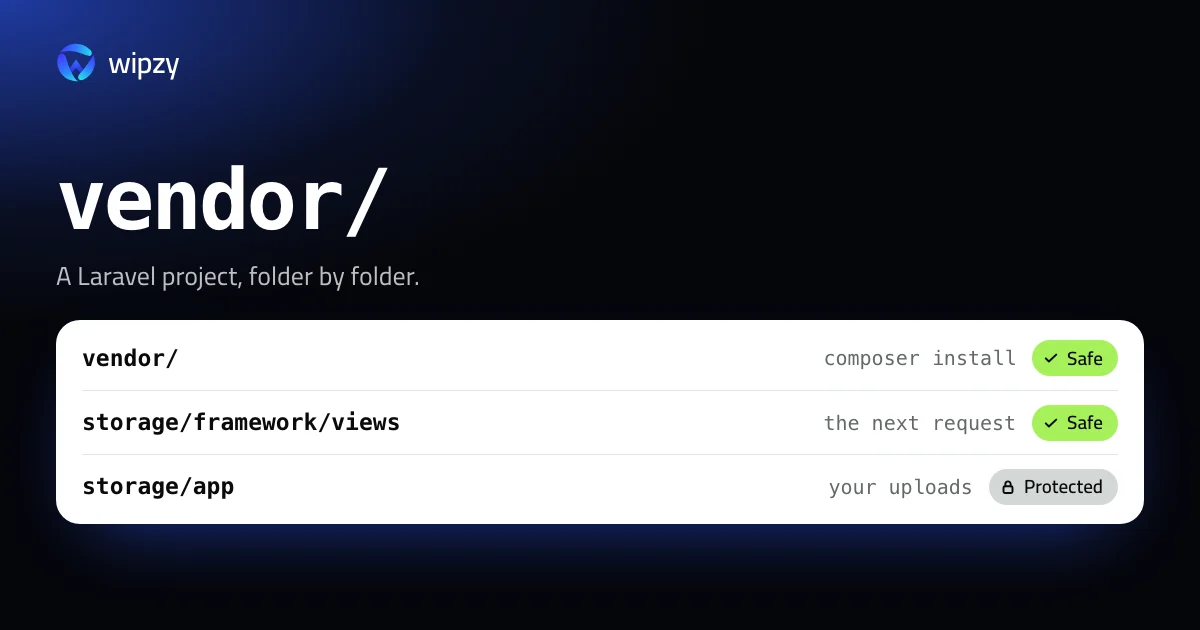
Wipzy reads each project before it offers anything, and for PHP that reading is detailed. A Laravel project is listed with its framework and PHP version, and every folder gets its own level:
| In a Laravel project | Level | Shown with |
|---|---|---|
vendor/ with composer.lock |
Safe | composer install |
vendor/ without a lockfile |
Your call | Listed, not ticked |
storage/framework/views, storage/framework/cache |
Safe | "Recreated on the next request" |
storage/logs, storage/framework/sessions |
Your call | Useful for debugging, signs users out |
storage/app |
Protected | "Your uploaded files", "Never touched" |
app/, routes/, .env, anything git tracks |
Protected | Never on the list |
And once per machine, under Dev caches:
| Row | Level | How it is cleaned |
|---|---|---|
| Composer cache | Safe | Moved to the quarantine |
The checks from this guide are built in. vendor is offered only next to a composer.json. It is ticked for you only when a lockfile exists, git reports the folder as ignored and not tracked, and you have not worked on the project for 30 days.
Clean moves folders into a quarantine on the same disk. If a project turns out to need its vendor untouched, with the file you edited while debugging, History has Undo. The space is freed when you press Free now. Projects and Dev caches are in the free plan.
It is never one click: scan, Review plan, then Clean. See how Wipzy reads a project and what is safe to delete on a developer's Mac.
Questions
Is it safe to delete the vendor folder?
Yes, when the project has a composer.lock. composer install downloads the exact versions the lockfile records and writes the autoloader again.
What does composer clear-cache delete?
The downloaded package archives and repository metadata in Composer's cache folder. No project is changed. The next install downloads what it needs.
Why is my Laravel project still large without vendor?
Look at node_modules, at storage/logs, and at storage/app. The first two can go. The third holds your uploaded files and must stay.