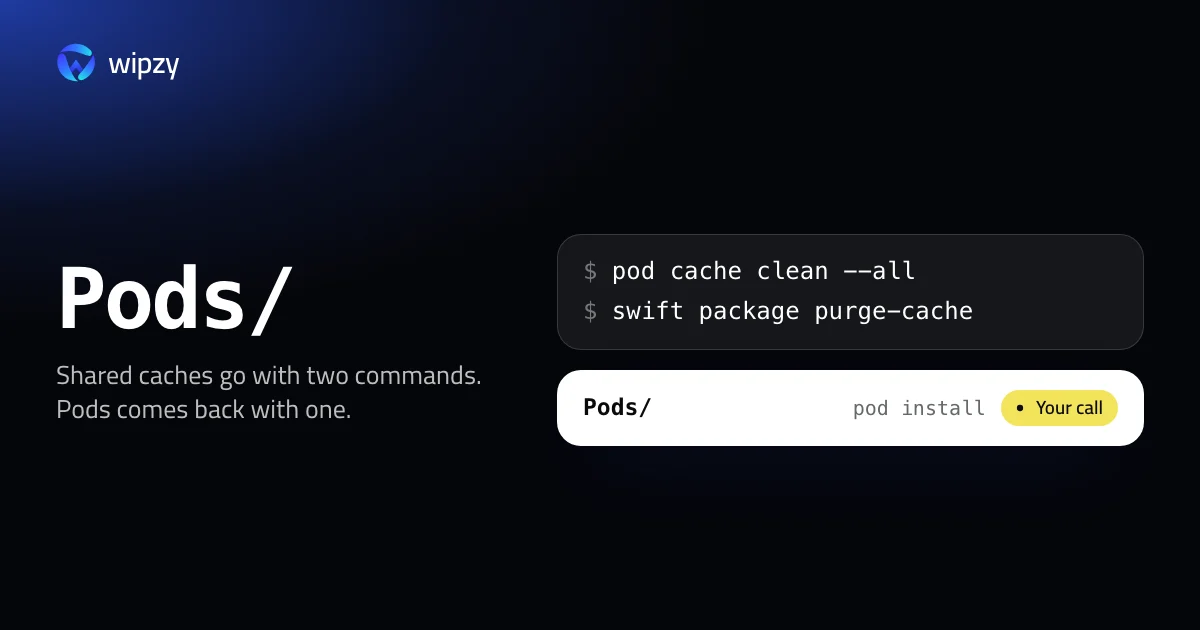
Two commands clear the two shared caches:
pod cache clean --all
swift package purge-cache
Both are safe: they remove downloads, and the tools fetch them again. Around them are per-project folders, Pods and .build, that are often larger. This guide shows where everything is, how to size it, and what each folder costs to bring back.
Where the files are
| Tool | Shared, in your home | Per project |
|---|---|---|
| CocoaPods | ~/Library/Caches/CocoaPods, ~/.cocoapods/repos |
Pods/ |
| Swift Package Manager | ~/Library/Caches/org.swift.swiftpm |
.build/, and for Xcode projects SourcePackages inside DerivedData |
| Carthage | ~/Library/Caches/org.carthage.CarthageKit |
Carthage/Build/ |
Size the shared ones in one go:
du -sh ~/Library/Caches/CocoaPods ~/.cocoapods/repos ~/Library/Caches/org.swift.swiftpm ~/Library/Caches/org.carthage.CarthageKit 2>/dev/null
CocoaPods
The download cache
pod cache list
pod cache clean --all
pod cache list prints every cached pod with the path of its copy. pod cache clean --all removes them. Without --all you pass a pod name and CocoaPods asks which version to remove. It refuses to clean everything unless you write the flag, to avoid doing it by mistake.
The spec repos
~/.cocoapods/repos holds the index of all pods. Check what is in it:
pod repo list
du -sh ~/.cocoapods/repos/*
A repo named trunk is the small CDN index that current CocoaPods uses. A repo named master is a full git clone of the old Specs repository, several gigabytes of history. If trunk is there and your Podfile does not name the git source, master is unused:
pod repo remove master
The Pods folder
Pods/ in a project holds the source of every dependency and CocoaPods' own Xcode project. With a Podfile.lock next to it, it can be recreated exactly.
Two commands sound similar and are not: pod deintegrate removes CocoaPods from the Xcode project itself. That is not cleanup. Leave it alone unless you are migrating away.
Swift Package Manager
swift package purge-cache
Run it inside any package folder. It empties the global cache in ~/Library/Caches/org.swift.swiftpm, where SwiftPM keeps bare clones of every repository it has fetched.
Per project, two more commands:
| Command | What goes |
|---|---|
swift package clean |
Build artifacts in .build |
swift package reset |
The whole .build folder, checkouts included |
For Xcode projects the checkouts are not in .build. Xcode keeps them in SourcePackages inside the project's DerivedData folder. File, Packages, Reset Package Caches clears them for the open project, and deleting DerivedData clears them for all.
Carthage
The shared cache is ~/Library/Caches/org.carthage.CarthageKit, and each project has Carthage/Build with the compiled frameworks. carthage bootstrap rebuilds from Cartfile.resolved. Because it compiles every framework, it is the slowest restore of the three.
Cannot be undone
None of these commands uses the Trash. For the shared caches that costs only a download. For Pods/ and Carthage/Build it costs build time. And if you ever edited a file inside Pods/ to test a fix, that edit is gone.
Find the Pods folders of old projects
The shared caches are one number. The Pods folders are one per project, and old projects keep theirs for ever. Replace ~/Code with your projects folder:
find ~/Code -name Pods -type d -prune -exec test -f {}/../Podfile.lock \; -exec du -sh {} + | sort -hr | head -20
Only folders with a Podfile.lock beside them are listed, because the lockfile is what makes pod install give back the same versions. To narrow the list to projects you have not installed into for a month, add -mtime +30 after -prune.
One caution before you remove a Pods folder. Some teams commit it to git, so that a checkout builds without running CocoaPods. Check from inside the project:
git ls-files Pods | head -3
If that prints file names, Pods is part of the repository. Leave it.
And one about the way back: run pod install, not pod update. install restores the versions in Podfile.lock. update ignores the lockfile and moves every pod to the newest version your Podfile allows, which is a different project from the one you cleaned.
With Wipzy
The shared caches are in Wipzy's Dev caches list and the project folders are in Projects. Both are in the free plan.
| Row | Level | How it comes back |
|---|---|---|
CocoaPods cache (~/Library/Caches/CocoaPods, ~/.cocoapods/repos) |
Safe | "pod install fetches them again" |
| SwiftPM cache | Safe | "Fetched again when needed" |
| Carthage cache | Safe | "Fetched again when needed" |
.build in a Swift package |
Safe | swift build |
Carthage/Build in a project |
Safe | carthage bootstrap |
Pods/ in a project |
Your call | pod install |
Pods/ is Your call, not Safe, because of the minutes it costs: the row says "pod install can take minutes". Wipzy offers it only when a Podfile sits next to the folder, and it checks for Podfile.lock. A project you worked on in the last 30 days is never ticked for you.
Everything in the table is moved, not deleted. Clean puts the folders into a quarantine on the same disk, History has Undo, and the space is freed when you press Free now. That also covers the hand-edited file inside Pods/: Undo brings it back.
It is not one click: scan, Review plan, then Clean. See what Safe and Your call mean, or the wider map in where Xcode's space goes.
Questions
Is it safe to run pod cache clean --all?
Yes. It removes downloaded copies of pods from the shared cache. Projects that are already installed keep their Pods folder. The next pod install that needs a pod downloads it again.
Can I delete the Pods folder?
Yes, if the project has a Podfile.lock. pod install recreates the folder with the same versions. Expect it to take minutes on a large project.
What does Reset Package Caches in Xcode do?
It deletes the package checkouts of the open project and fetches every package again. It does not clear the global SwiftPM cache in your Library.